Awesome GPT-Image2: Turning Visual AI into 'Prompt as Code' with 532+ Reverse-Engineered Cases Awesome GPT-Image2: Biến Tạo Ảnh AI Thành 'Prompt as Code' Với 532+ Ca Thực Chiến Chuẩn Công Nghiệp
Explore Awesome GPT-Image2—a Prompt-as-Code framework featuring 532+ reverse-engineered cases, 21+ industrial templates, agent-native skills, and production anti-pitfall guides. Khám phá Awesome GPT-Image2—bộ khung 'Prompt as Code' với 532+ ca đảo ngược thực chiến, 21+ mẫu công nghiệp, tích hợp Agent Skills và cẩm nang chống lỗi chữ, lỗi tỷ lệ toàn diện.
1. 🌟 From “Vibe Gacha” to “Prompt as Code”
When OpenAI’s GPT-4o image generation capabilities and GPT-Image-2 models arrived, AI image generation crossed a critical threshold: models could finally render sharp typography, complex user interfaces, technical infographics, and photorealistic product detail shots.
However, in professional production pipelines, most teams still treat image prompts like a random slot machine (“Vibe Gacha”)—throwing unstructured poetic paragraphs at the model and hoping for consistent output.
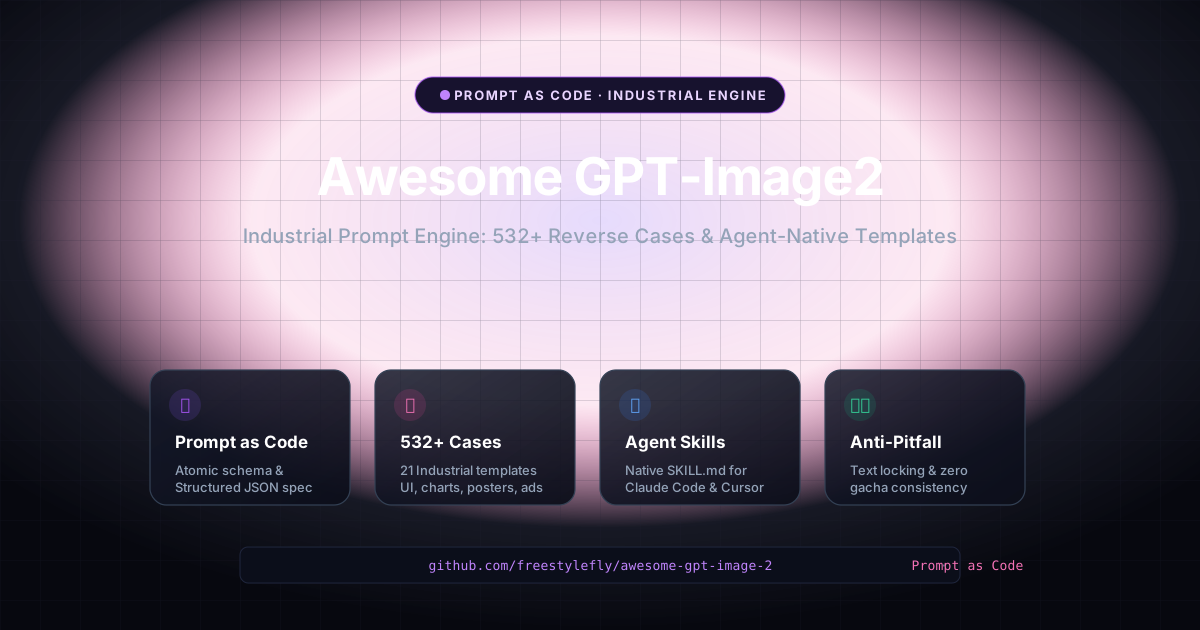
Awesome GPT-Image-2 (created by Cang He at github.com/freestylefly/awesome-gpt-image-2) transforms visual generation into Prompt as Code (PaC). By reverse-engineering 532+ production cases into 21+ industrial-grade structured templates, the project replaces guesswork with programmatic, repeatable schemas.
flowchart TD
    subgraph Traditional ["❌ Traditional 'Vibe Gacha' Prompting"]
        V1["Vague Poetic Paragraph"] --> V2["High Temperature Sampling"]
        V2 --> V3["Hallucinated Text, Random Layout, Inconsistent Brands"]
    end

    subgraph PaC ["✅ Prompt as Code (Awesome GPT-Image-2)"]
        P1["Atomic JSON Schema (Subject, Lighting, Layout, Constraints)"]
        P2["Reverse-Engineered Industrial Template"]
        P3["Strict Text Locking & Aspect Ratio Pinning"]

        P1 & P2 & P3 --> P4["Deterministic, Production-Ready Visual Asset"]
    end
2. 🧱 The 4-Layer Atomic Prompt Architecture
Instead of writing monolithic prompts, Awesome GPT-Image-2 organizes every generation request into four decoupled layers:
flowchart LR
    L1["1. Target & Context\n(Platform, Screen ratio, Audience)"] --> L2["2. Visual Hierarchy\n(Layout grid, Header/Body/Footer)"]
    L2 --> L3["3. Exact Copy & Tokens\n(Strict text locking, No pseudo-latin)"]
L3 --> L4["4. Hard Constraints\n(Rendering style, Aspect, Color palette)"]| Layer | Purpose | Example Parameters |
|---|---|---|
| 1. Target & Platform | Identifies specific platform UX conventions | iOS 18, X (Twitter) Feed, Douyin Live, E-Commerce Detail |
| 2. Visual Layout | Defines spatial hierarchy and grid layout | Dual-column card feed, 21:9 Dashboard banner, Split-screen comparison |
| 3. Content & Copy | Injects exact strings with zero hallucination | "Today's Calories: 340 kcal", "Save 50% on Black Friday" |
| 4. Negative Constraints | Explicitly prohibits common model failure modes | No placeholder text, Readable typography, Preserve face visibility |
3. 🎨 532+ Reverse-Engineered Cases Across 6 Categories
The repository categorizes 532+ production visual assets into modular categories accessible via an interactive web gallery at gpt-image2.canghe.ai:
| Category | Cases | Typical Real-World Applications |
|---|---|---|
| 🧩 UI & Interfaces | 73 Cases | Mobile apps (iOS/Android), web dashboards, analytics consoles, and mock social feeds. |
| 📊 Charts & Infographics | 52 Cases | System architecture diagrams, knowledge maps, technical roadmaps, and comparison tables. |
| 📰 Posters & Typography | 86 Cases | Event posters, typography covers, marketing launch flyers, and geometric visual grids. |
| 🛍️ Products & E-Commerce | 41 Cases | Commercial studio product photography, detail sales pages, luxury packaging, and 3D renders. |
| 🏷️ Brand & Identity | 27 Cases | Minimalist logos, geometric badges, visual brand guidelines, and app icons. |
| 🏛️ Architecture & Spatial | 12 Cases | Isometric interior blueprints, smart city system maps, and architectural cross-sections. |
4. 🤖 Native Agent Integration (SKILL.md)
One of the project’s most powerful features is its native compatibility with agentic frameworks (Claude Code, Cursor, Antigravity, and Codex).
The repository includes a standardized SKILL.md (agents/skills/gpt-image-2-style-library/SKILL.md) that allows AI coding agents to dynamically select styles, build JSON payloads, and generate images directly through tool calls:
{
  "type": "UI Screenshot",
  "platform": "iOS",
  "product": "Crypto Portfolio Tracker",
  "layout": "Card-based feed with bottom tab navigation",
  "style": {
    "theme": "OLED Dark Mode",
    "primary_color": "#10b981",
    "typography": "Modern clean sans-serif"
  },
  "content": {
    "header": "Total Balance $42,580.00",
    "cards": [
      {"asset": "Bitcoin (BTC)", "price": "$96,400", "change": "+4.2%"},
      {"asset": "Ethereum (ETH)", "price": "$3,850", "change": "+2.8%"}
    ]
  },
  "constraints": "Strictly render readable text, high fidelity, 9:16 mobile aspect ratio"
}
5. 🛡️ Industrial Anti-Pitfall Guide
The author compiled extensive “Anti-Pitfall Guides” (防坑指南) to prevent the most notorious AI image defects:
🛡️ Core Anti-Pitfall Principles:
- Lock Aspect Ratio Upfront: Special screens (like 21:9 ultra-wide car dashboards or 3:4 e-commerce banners) must declare aspect ratio at the very beginning of the prompt; otherwise models default to 1:1 or 9:16.
- Enforce Literal Text Locking: Explicitly state: “Strictly render exact text provided, no placeholder glyphs or unreadable pseudo-text.”
- Respect Platform UX Signatures: X (Twitter) requires blue verification badges and retweet metadata; live streaming UI requires gift animations, bullet comments, and pinned product cards that do not obstruct the presenter’s face.
6. 🚀 Practical API Ecosystem & Workflows
Awesome GPT-Image-2 integrates with high-throughput API relays:
flowchart LR
    Dev["Developer / Agent Script"] --> API["Unified Async API (APIMart / hiapi)"]
    API --> Task["Submit Task -> Receive Task ID"]
    Task --> Poll["Async Webhook / Polling Result"]
Poll --> CDN["Persistent CDN Storage (1K-4K resolution)"]- APIMart: High-throughput async batch generation starting at
$0.006/image(160+ images per dollar). - hiapi: Persistent CDN image hosting with native Remote MCP and Agent Skills integration for Claude Code & Cursor.
7. 💡 4 Architectural Takeaways for AI Builders
- Structure Over Adjectives: Replace vague poetic adjectives (“hyper-realistic, 8k, masterpiece”) with structured JSON parameters (subject, lighting angle, material, layout).
- Reverse-Engineering Yields Reusability: Extracting architectural patterns from 500+ successful outputs builds an organizational design system for AI.
- Agent Integration Multiplies Value: Packaging prompt templates into standard
SKILL.mdpackages empowers autonomous agents to build visual assets on demand. - Deterministic Design Prevents Token Waste: Strict constraints eliminate expensive re-rolls and deliver reliable results on the first attempt.
1. 🌟 Bước Tiến Của Tạo Ảnh AI: Từ ‘Quay Xổ Số’ Đến ‘Prompt as Code’
Khi các mô hình tạo ảnh AI thế hệ mới (như tính năng sinh ảnh của GPT-4o hay GPT-Image-2) ra mắt, khả năng vẽ hình của AI đã có bước nhảy vọt: mô hình đã có thể vẽ chữ sắc nét, hiển thị giao diện UI phức tạp, vẽ infographic kỹ thuật và chụp ảnh sản phẩm chi tiết.
Tuy nhiên, trong quy trình sản xuất thực tế, phần lớn mọi người vẫn dùng prompt theo kiểu “quay xổ số may rủi” (Vibe Gacha)—ném cho AI một đoạn văn miêu tả cảm tính dài dòng và hy vọng nó sẽ ra đúng kết quả mong muốn.
Dự án Awesome GPT-Image-2 (được sáng lập bởi tác giả Thương Hà / 苍何 tại github.com/freestylefly/awesome-gpt-image-2) đã chuyển đổi toàn bộ quy trình này thành Prompt as Code (PaC). Bằng cách đảo ngược kỹ thuật (reverse-engineering) 532+ ca thực chiến thành 21+ bộ khuôn mẫu (template) công nghiệp, dự án mang đến sự chuẩn hóa, ổn định và có thể tái sử dụng trong các hệ thống tự động.
flowchart TD
    subgraph TruyenThong ["❌ Tạo Prompt Cảm Tính (Vibe Gacha)"]
        V1["Đoạn văn mô tả cảm tính, mơ hồ"] --> V2["Mô hình tự do suy diễn ngẫu nhiên"]
        V2 --> V3["Lỗi chữ biến dạng, bố cục lộn xộn, sai nhận diện thương hiệu"]
    end

    subgraph PaC ["✅ Prompt as Code (Awesome GPT-Image-2)"]
        P1["Cấu trúc JSON nguyên tử (Chủ thể, Ánh sáng, Bố cục, Ràng buộc)"]
        P2["Khuôn mẫu công nghiệp được kiểm chứng từ 532+ ca thực chiến"]
        P3["Khóa chữ chính xác & Cố định tỷ lệ màn hình"]

        P1 & P2 & P3 --> P4["Tài sản hình ảnh chuẩn mực, tái lập 100% trong sản xuất"]
    end
2. 🧱 Kiến Trúc Prompt Nguyên Tử 4 Tầng
Thay vì viết một đoạn văn dài dòng không cấu trúc, Awesome GPT-Image-2 chia tách prompt thành 4 tầng độc lập:
flowchart LR
    L1["1. Mục tiêu & Nền tảng\n(Thiết bị, Tỷ lệ khung hình, Người dùng)"] --> L2["2. Bố cục Không gian\n(Lưới layout, Header/Body/Footer)"]
    L2 --> L3["3. Nội dung & Văn bản\n(Khóa chữ tuyệt đối, Cấm chữ rác)"]
L3 --> L4["4. Ràng buộc Kỹ thuật\n(Phong cách render, Màu sắc chủ đạo)"]| Tầng Kiến Trúc | Mục Đích | Tham Số Cấu Hình Điển Hình |
|---|---|---|
| 1. Nền tảng & Thiết bị | Xác định tiêu chuẩn UI/UX của nền tảng | iOS 18, Giao diện X (Twitter), Livestream TikTok, Trang chi tiết sản phẩm |
| 2. Bố cục Không gian | Định hình phân cấp thị giác và lưới thiết kế | Card flow 2 cột, Màn hình xe hơi 21:9, So sánh đối đầu chia đôi màn hình |
| 3. Nội dung Văn bản | Khóa chặt nội dung chữ cụ thể cần hiển thị | "Số dư tài khoản: 1.500.000đ", "Khuyến mãi Thứ 6 Đen tối - Giảm 50%" |
| 4. Ràng buộc Loại trừ | Ngăn chặn các lỗi thường gặp của AI | Cấm chữ vô nghĩa, Đảm bảo chữ đọc rõ 100%, Không che mặt nhân vật |
3. 🎨 Kho 532+ Ca Thực Chiến Phân Theo 6 Nhóm Chủ Lực
Dự án sắp xếp 532+ trường hợp thực tế vào các danh mục chuyên biệt, người dùng có thể duyệt trực quan tại thư viện web gpt-image2.canghe.ai:
| Danh Mục | Số Lượng | Ứng Dụng Thực Tế Điển Hình |
|---|---|---|
| 🧩 Giao Diện & UI | 73 Ca | Ứng dụng di động (iOS/Android), bảng điều khiển dashboard SaaS, trang quản trị dữ liệu. |
| 📊 Biểu Đồ & Infographic | 52 Ca | Sơ đồ kiến trúc hệ thống, bản đồ tư duy, lộ trình phát triển kỹ thuật, bảng đối soát dữ liệu. |
| 📰 Poster & Typography | 86 Ca | Poster sự kiện, bìa sách/tạp chí, ấn phẩm typography sáng tạo, banner quảng cáo. |
| 🛍️ Sản Phẩm & Thương Mại | 41 Ca | Chụp ảnh studio thương mại, trang chi tiết bán hàng, bao bì sản phẩm cao cấp, render 3D. |
| 🏷️ Thương Hiệu & Logo | 27 Ca | Thiết kế logo tối giản, bộ nhận diện thương hiệu, huy hiệu biểu tượng ứng dụng. |
| 🏛️ Kiến Trúc & Không Gian | 12 Ca | Bản vẽ phối cảnh nội thất, bản đồ hệ thống thành phố thông minh, mặt cắt công trình. |
4. 🤖 Tích Hợp Sẵn Cho AI Agent (SKILL.md)
Điểm sáng giá nhất của dự án là khả năng tương thích tự nhiên với các nền tảng AI Agent (Claude Code, Cursor, Antigravity và Codex).
Kho lưu trữ cung cấp sẵn file kỹ năng SKILL.md (agents/skills/gpt-image-2-style-library/SKILL.md), cho phép AI agent tự động tra cứu phong cách, tạo prompt dạng JSON và gọi API sinh ảnh theo yêu cầu:
{
  "type": "UI Screenshot",
  "platform": "iOS",
  "product": "Ứng dụng Quản lý Tài chính Cá nhân",
  "layout": "Giao diện thẻ Card-based với thanh điều hướng đáy",
  "style": {
    "theme": "Dark Mode OLED",
    "primary_color": "#10b981",
    "typography": "Sans-serif hiện đại, nét thanh gọn"
  },
  "content": {
    "header": "Tổng tài sản: 250.000.000 đ",
    "cards": [
      {"title": "Quỹ tiết kiệm", "data": "120.000.000 đ", "growth": "+8.5%/năm"},
      {"title": "Đầu tư cổ phiếu", "data": "80.000.000 đ", "growth": "+14.2%"}
    ]
  },
  "constraints": "Chữ tiếng Việt sắc nét, tuyệt đối không có ký tự vô nghĩa, tỷ lệ màn hình 9:16"
}
5. 🛡️ Cẩm Nang Chống Lỗi Thực Chiến (Anti-Pitfall)
Tác giả đã đúc kết các quy tắc “chống bẫy” giúp loại bỏ các lỗi sai kinh điển của mô hình sinh ảnh:
🛡️ 3 Nguyên tắc chống lỗi cốt lõi:
- Khóa tỷ lệ khung hình ngay từ đầu: Đối với các màn hình đặc thù (như màn hình xe thông minh 21:9 hay banner thương mại 3:4), phải đặt tỷ lệ ở đầu câu prompt để tránh việc mô hình tự động vẽ hình vuông 1:1.
- Ràng buộc khóa chữ tuyệt đối: Luôn kèm theo câu lệnh: “Bắt buộc hiển thị chính xác các đoạn văn bản được chỉ định, cấm sinh chữ vô nghĩa hoặc ký tự placeholder.”
- Tôn trọng đặc trưng nền tảng: UI Twitter/X cần có tích xanh và chỉ số tương tác; UI Livestream cần có hiệu ứng quà tặng và khung chat ở góc dưới nhưng không được che khuất khuôn mặt của người live.
6. 🚀 Hướng Dẫn Triển Khai Thực Tế
Awesome GPT-Image-2 kết nối thuận tiện với các nền tảng API relay hiệu năng cao:
- APIMart: Nền tảng API sinh ảnh bất đồng bộ với chi phí siêu rẻ từ
$0.006/ảnh(~160 ảnh/USD), hỗ trợ batch hàng chục nghìn ảnh không bị timeout. - hiapi: Cung cấp API GPT-Image-2 kèm dịch vụ lưu trữ CDN vĩnh viễn, tích hợp sẵn Remote MCP và Agent Skills cho Claude Code và Cursor.
7. 💡 4 Bài Học Kiến Trúc Cho Kỹ Sư AI
- Cấu Trúc Hóa Thay Vì Dùng Tính Từ Cảm Tính: Thay vì nhồi nhét những từ vô thưởng vô phạt (“siêu thực, 8k, tuyệt tác”), hãy dùng cấu trúc JSON với đầy đủ chủ thể, góc sáng, chất liệu và bố cục.
- Kỹ Thuật Đảo Ngược Tạo Nên Tính Tái Sử Dụng: Đúc kết các mẫu prompt thành công từ 500+ ca thực chiến giúp bạn xây dựng một Hệ thống Thiết kế (Design System) chuẩn hóa cho AI.
- Đóng Gói Thành Agent Skill Giúp Tự Động Hóa Toàn Diện: Khi đưa các mẫu prompt vào chuẩn
SKILL.md, AI agent có thể tự chủ tạo ra các tài sản hình ảnh chất lượng cao mà không cần con người chỉnh sửa thủ công. - Ràng Buộc Chặt Chẽ Giúp Tiết Kiệm Chi Phí: Các câu lệnh khóa chữ và khóa tỷ lệ giúp loại bỏ việc phải tạo đi tạo lại nhiều lần, đưa tỷ lệ thành công ngay trong lượt chạy đầu tiên lên cao nhất.